If you are a registered user do not use the demo version since you can only save a fraction of the data when using it!Contact me instead if you need to get the latest version.
The color code for letter A is PMS300
The TR and CK letters shall be chromed
Download backup data
file_download
Don't
do this if you are a registered user unless you first backup your own
data!
The demo version is limited since you cannot save more than session
notes and tracks. You can however do everything else which is the
intention.
If you buy a race bike/car/kart from a Tracktimer user you can take the
sellers backup and look at it using the demo version.
As an example download this
file, save it to the hard disk, start Tracktimer and choose
Restore from Tools-Backup/Restore to restore my
personal data from 2004-2005.
Note that the sessions and the tire list are only visible if the chosen
vehicle is motorcycle. I will try to upload similar files for cars and
karts too.
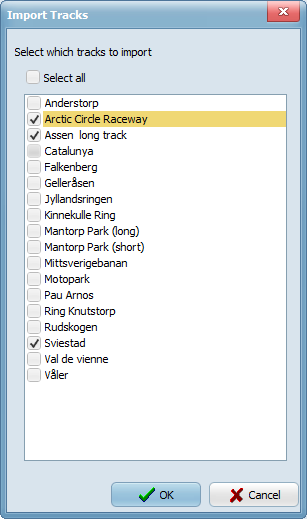
Download track packs
A Track Pack is nothing but a collection of
tracks stored in a zip-file. Download and extract the contents of the
file and follow the instruction in the file readme.txt to import the
tracks to your system.
I found a great place for track information, check out the www.etracksonline.co.uk
site by Neil Tipton.
MPEG-4 tutorials
Here are a number of different scenarios starting at the very first time
Tracktimer is started. Either run the demo directly or select the
zipped version to download it to your computer.
If you download the zipped versions also place this file in the same
directory and navigate through the demos using that file.
Right-click installation file to install as Administrator if you get errors saying that you cannot write to disk during installation
Make sure that the actual track exists
on the Tracks page. If not press the "Add Track" button to add it and
enter a track length.
Go to the Setup page and enter as much
information as you need.
Go to the Actual Session page, press the
button New Session and select the track you just
created.
To time a driver using Tracktimer first
enter the name of the Main Driver on the Actual Session page.
Press "Start Session" to prepare timing. As the driver passes the
start/finish line press "Stopwatch" button (or F5) to start the timing.
Of course you can also enter lap times
manually, just right-click on the timing grid and select "Enter lap
times manually".
Save the session when done to review it
later (not possible to save setup data in the trial version) or export
it to html by selecting "Export HTML - Session(s)" to get a quick
overview.